Your personal Slack archive: every file and link someone sent you, in one place
You know someone sent you that PDF, that Figma link, that spreadsheet — you just can't find where. Here's how to keep your own copy of every attachment and every URL shared with you, all pulled out of Slack and sitting in one place you control.
The Empowia Team

You remember it clearly: someone handed you a file. A PDF, a spreadsheet, a screenshot, the link to a shared doc. You need it right now, and you cannot find it. Which channel was it in? A DM? Three weeks ago or three months? You try Slack's search, stab at a filename, and get a pile of near-misses. Eventually you give up and ask the person to send it again, a little embarrassed, because you know they already did.
That scene is oddly common for something so avoidable. Slack is where an enormous amount of what you're handed passes through — the attachments, the shared links, the "here's the thing you asked for" moments — and it's terrible at handing any of it back later. The fix isn't to dig harder. It's to keep your own copy of everything you were sent, in a shape you can actually dig through.
Every attachment, in one gallery
Start with files, because that's where the pain is sharpest. Empowia gathers every attachment anyone ever sent you — across every channel and DM — into a single gallery. Instead of remembering which conversation a file lived in, you go straight to the gallery, filter by type or name, preview, and open it.
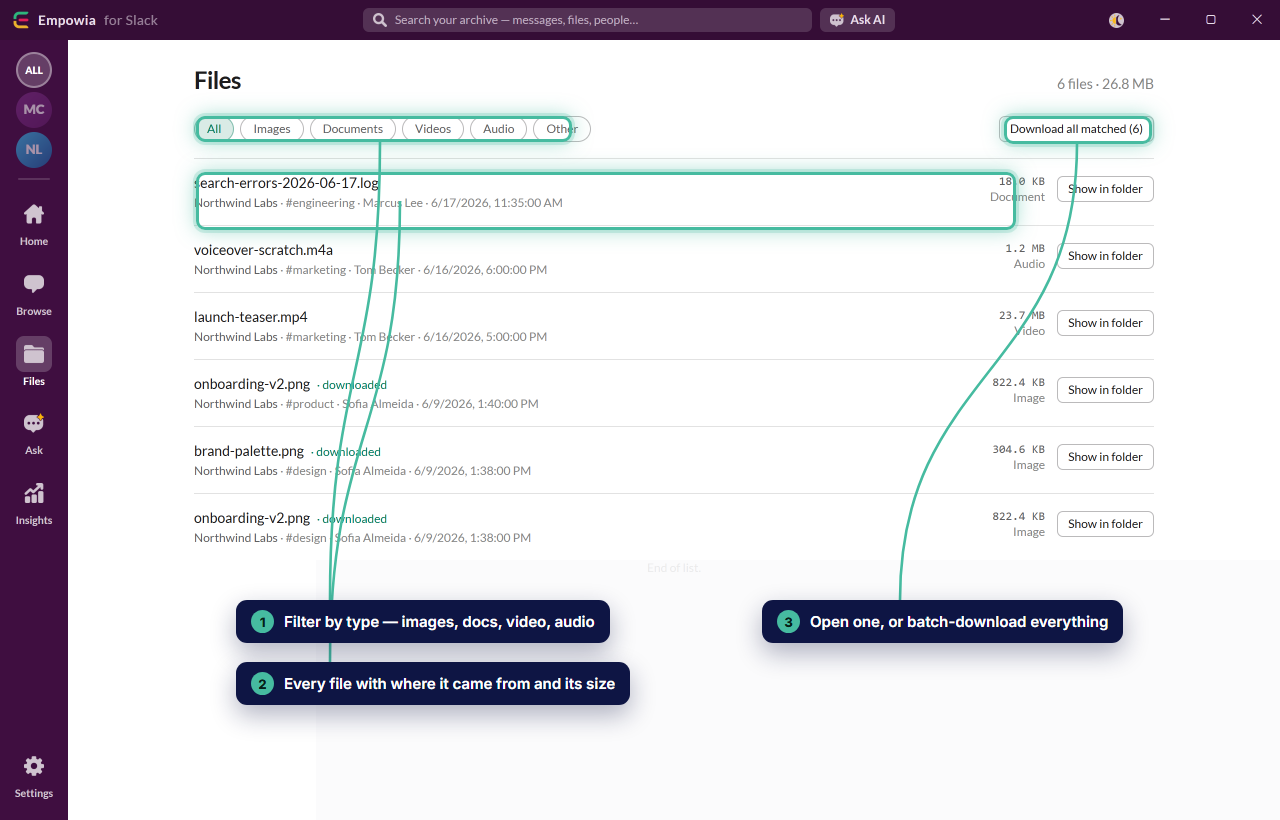
That "I know someone sent me the invoice" moment goes from a ten-minute dig to a single glance. Nothing is trapped behind the 90-day cliff; the entire gallery is yours, locally.
Every link, gathered and labeled
Files' close cousin is links. Someone drops a Figma file, a Notion page, a competitor's site — useful for exactly as long as it's on screen, then gone. Empowia collects every URL shared across your history into one labeled list, each with a note on what it is and who posted it. No more "who shared that doc?" and no more paging three weeks back hoping to recognize it — it's simply a keeper list of everything you would want again.
Browse it like Slack — but instantly, and yours
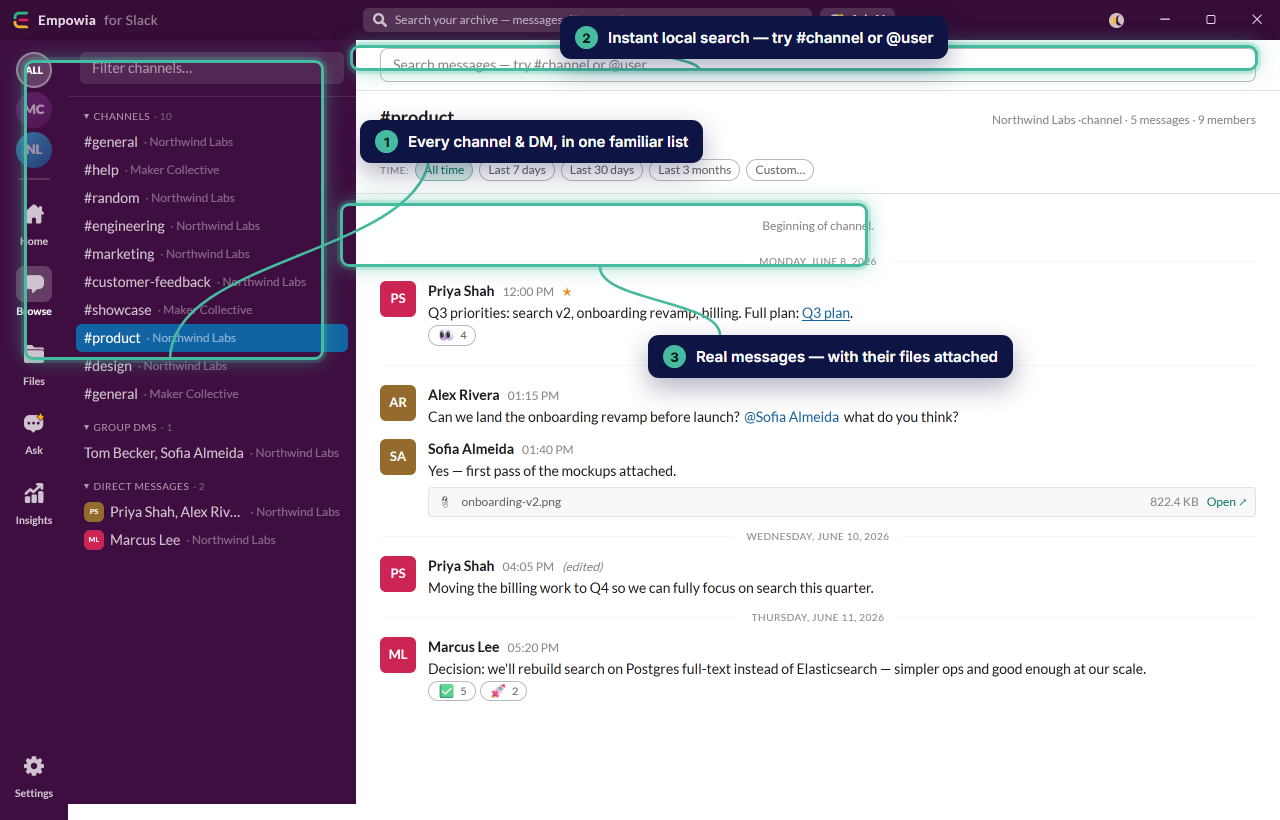
When you do want to move through conversations, you get a familiar two-pane browser over your own local copy — no laggy scroll, no time limit. And when you remember one odd word from a message six months back, local full-text search hands you the result immediately.
And when you don't remember the words at all
Sometimes you can't recall a filename or a keyword — only the gist. That's the outer ring of retrieval, and it's what Ask is for: describe what you're after in plain language and let it find the thread for you. Most of the time, though, the gallery, the link list, and instant search get you there without any AI at all — which is exactly why they run locally and free.
Give yourself a second memory
Everything you've ever been handed is already in Slack. The only thing missing is a way to reach back into it without the paging, the fumbling, and the sheepish "sorry, can you resend that?" A personal archive gives you that: your files, your links, your history — kept on your own computer, and findable in seconds.
Download Empowia free and point it at your own Slack.
FAQ
How do I find a file someone shared with me in Slack weeks ago?
Empowia gathers every attachment from all your channels and DMs into a single gallery. Filter by type or name, preview it, and open it — no scrolling back through the thread to find where it was posted.
Can I collect all the links people shared, not just files?
Yes. Empowia pulls every URL shared across your history into one labeled list, so the doc, the Figma file, and the dashboard someone dropped last month are all in one place instead of buried in chat.
Is my archive private?
Completely. Your backup, your files, and your Slack sign-in all live on your own computer — no cloud, no account, no telemetry. It's yours alone.
Comments
Loading comments…