Keep your Slack history. Find anything in seconds.
Never lose a Slack message again. Empowia backs up everything you can access — channels, DMs, and files — to your own computer and turns it into a searchable, AI-powered archive, with custom, scheduled analysis. Private, portable, entirely yours.
- 100% local — no cloud
- Use your own AI key
- Free to start
Empowia started as a backup-and-intelligence app I built for myself — part to-do list, part note-taker, and more. Enough people wanted it that I turned it into a real app. It’s on Windows and Mac now — want Linux, or a feature you’re missing? Tell me; I build what people actually ask for.
— the maker behind Empowia
Keep everything. Find anything. Put it to work.
Three things, really: a complete backup of your Slack, instant search across all of it, and an AI layer that turns the archive into answers and action.
Keep everything
One-click backup of your whole Slack — every channel, DM, and file — kept on your own machine, forever.
02Find anything
Instant local search and a familiar browser across your entire history, in milliseconds.
03Put it to work
Ask it questions, let it file your to-dos, and run your own AI analysis — your key, your rules.
Which Slack backup do you actually need?
Different tools solve different problems. Here’s an honest look at where Empowia fits — and where it doesn’t.
| Empowia | Slack export | Slackdump | Backupery | Enterprise backup | |
|---|---|---|---|---|---|
| No admin needed | |||||
| Covers private channels & DMs | |||||
| Kept local on your own PC | |||||
| Instant search + AI answers | |||||
| Price | Free / €19,90 once | Free | Free | Paid | Subscription |
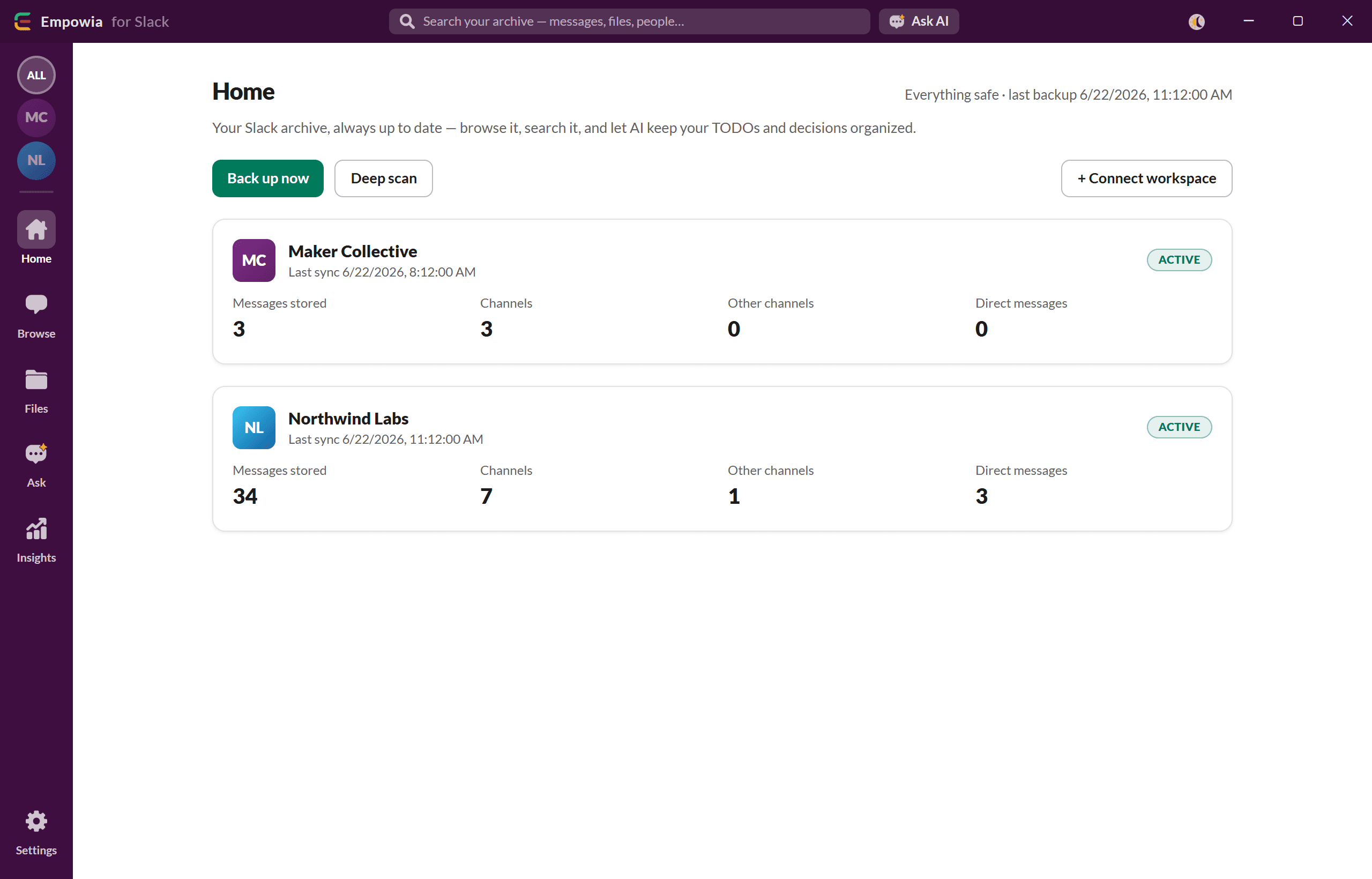
Back up your whole Slack in one click.
Empowia reuses the Slack you’re already signed into — no admin, no tokens, no “create an app.” Pick your workspaces and it keeps an incremental, scheduled backup current on your own machine.
- No Slack app, no tokens, no admin
- Channels, private channels, DMs, group DMs — and every file
- Incremental & scheduled, or back up on demand
- Past the 90-day cliff — kept locally, forever
- Export any conversation — or everything — to JSON, CSV, or Excel
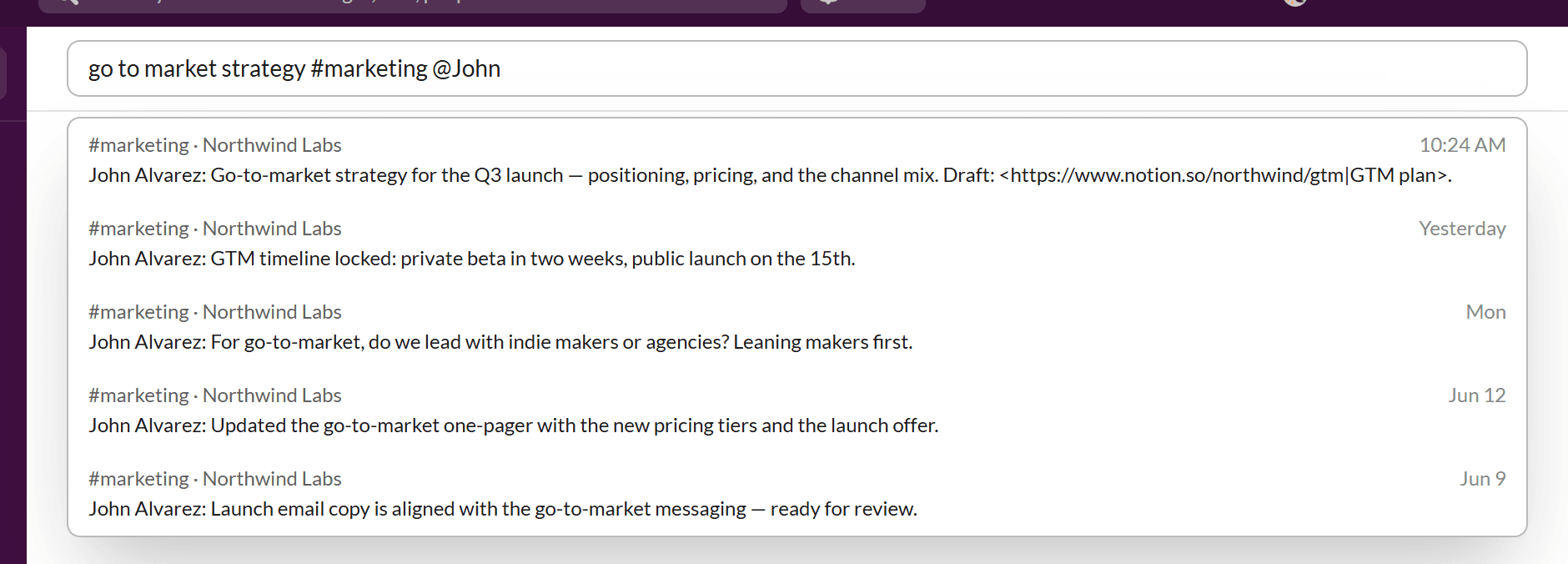
Search every message in an instant.
That decision from last quarter, the link buried in #random, the file shared months ago — type a few words and it’s there, across every channel and DM, in milliseconds.
- Instant local full-text search across everything
- Familiar two-pane browser — edited/pinned, emoji, avatars, light or dark
- A file gallery with type filters and batch download
Your archive, turned into answers and action.
This is where Empowia goes beyond backup. A full AI layer reads your Slack so you can ask it anything, let it file your work automatically, and run analysis on your own terms.
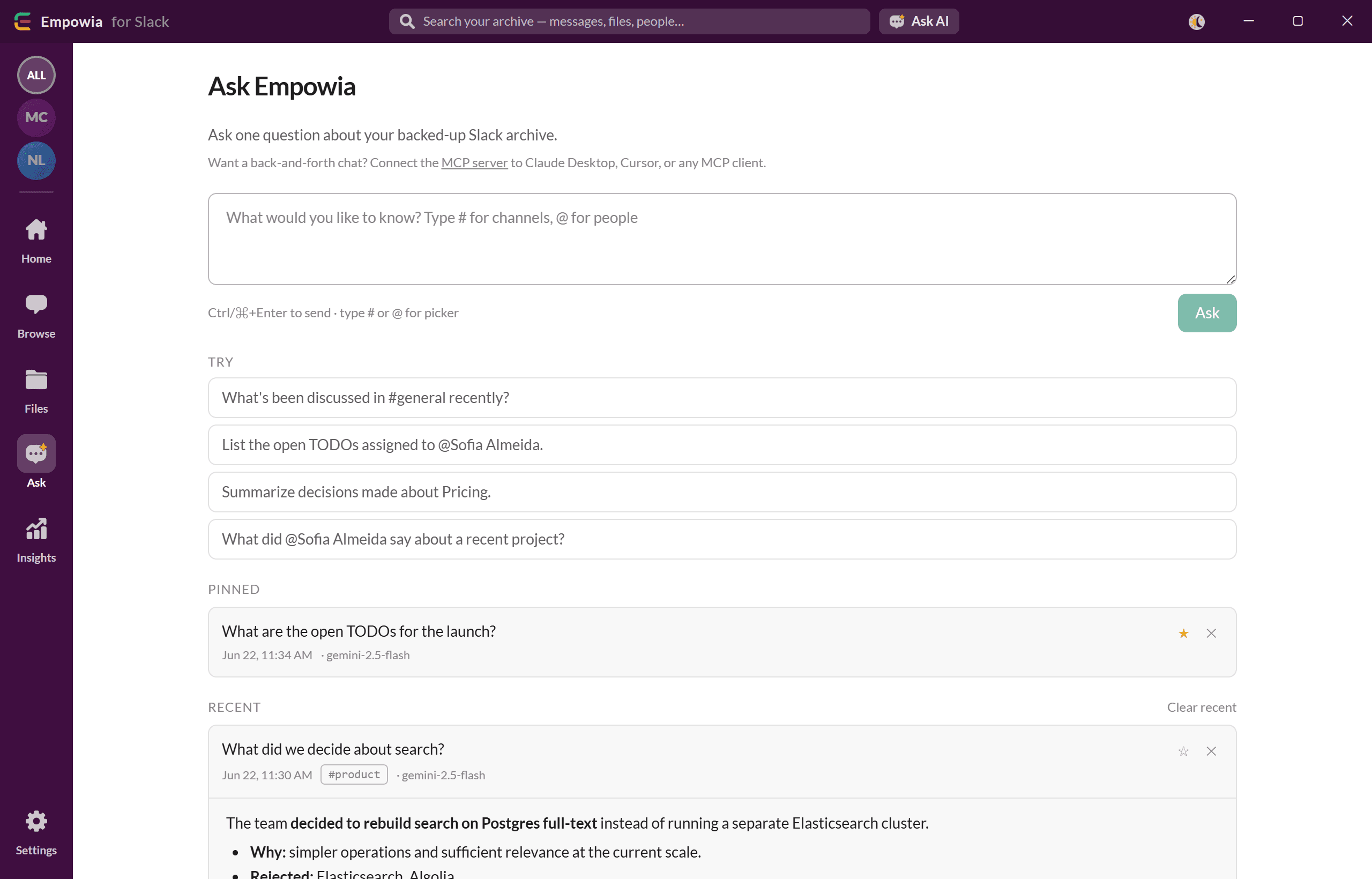
Ask your whole Slack a question.
Natural-language questions over your entire archive, scoped to a #channel or @person, answered with citations straight back to the source message. Like a teammate who’s read every thread and never forgets.
It files your work for you.
Empowia quietly rounds up the things that matter and files them for you — each with assignees, deadlines, and a link back to where it was said. Want something else tracked? Just tell it what to look for.
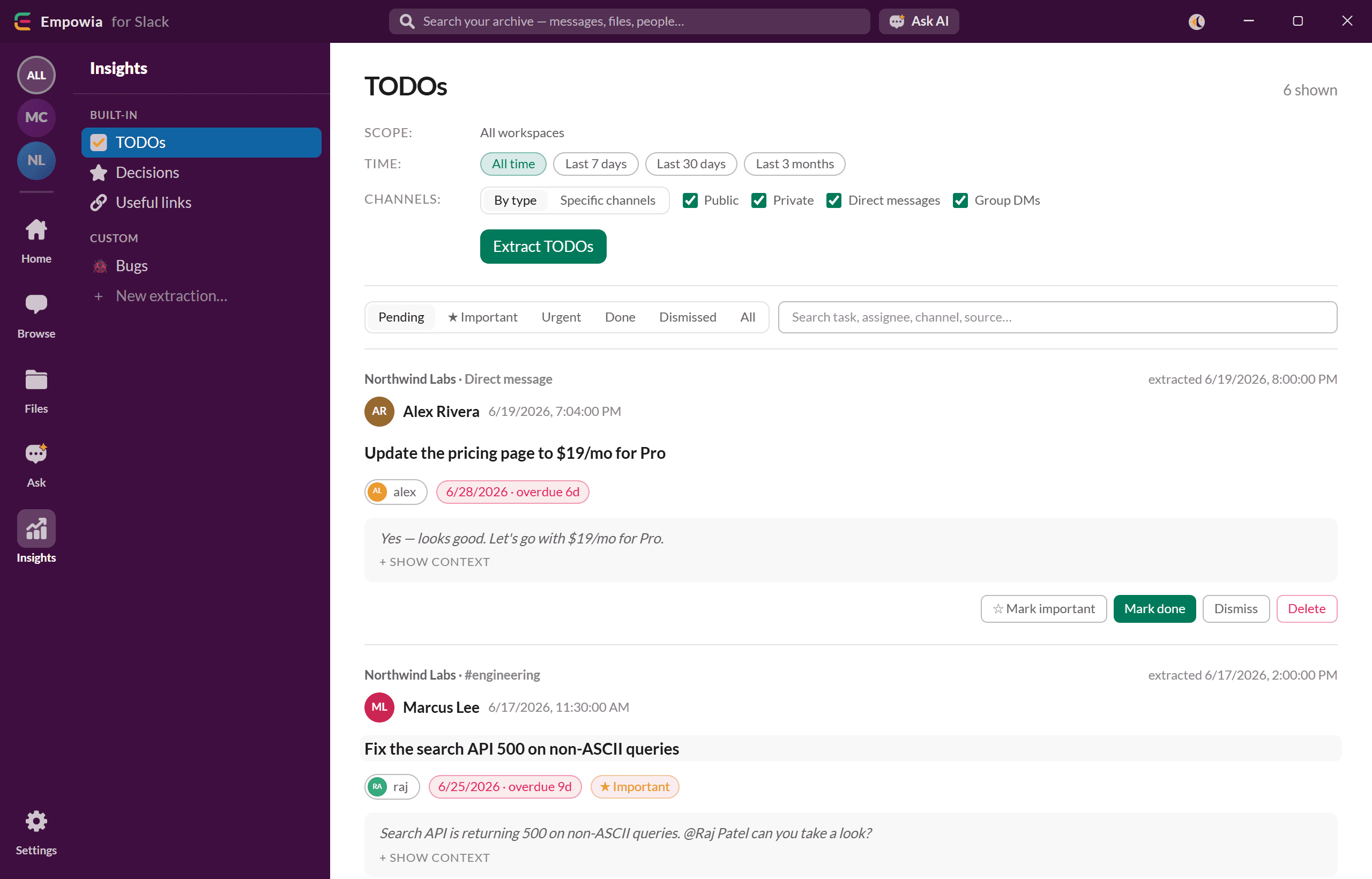
To-dos
Action items with assignees, deadlines, and a link to the message they came from.
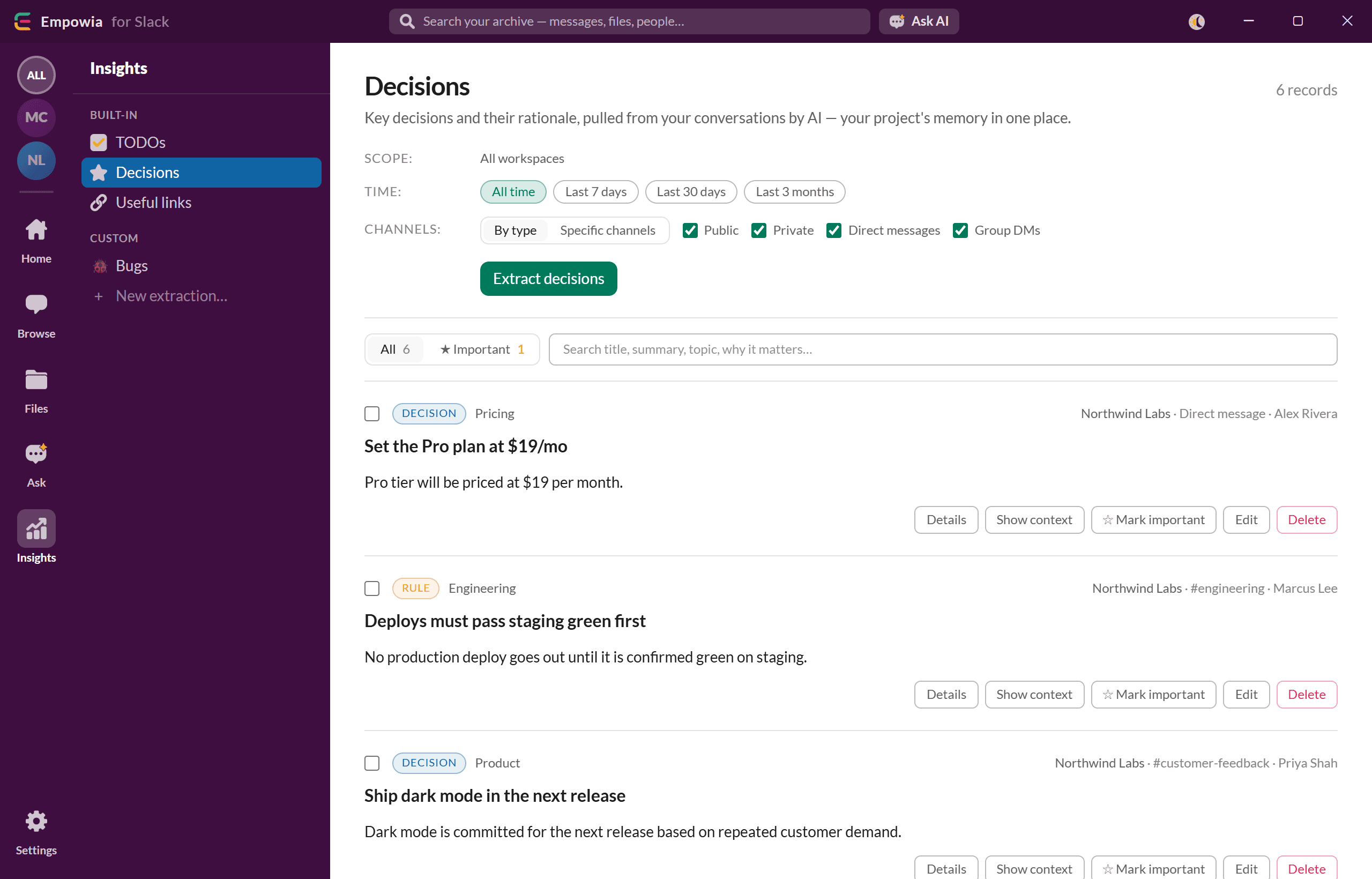
Decisions
The calls your team made, captured with the context around them.
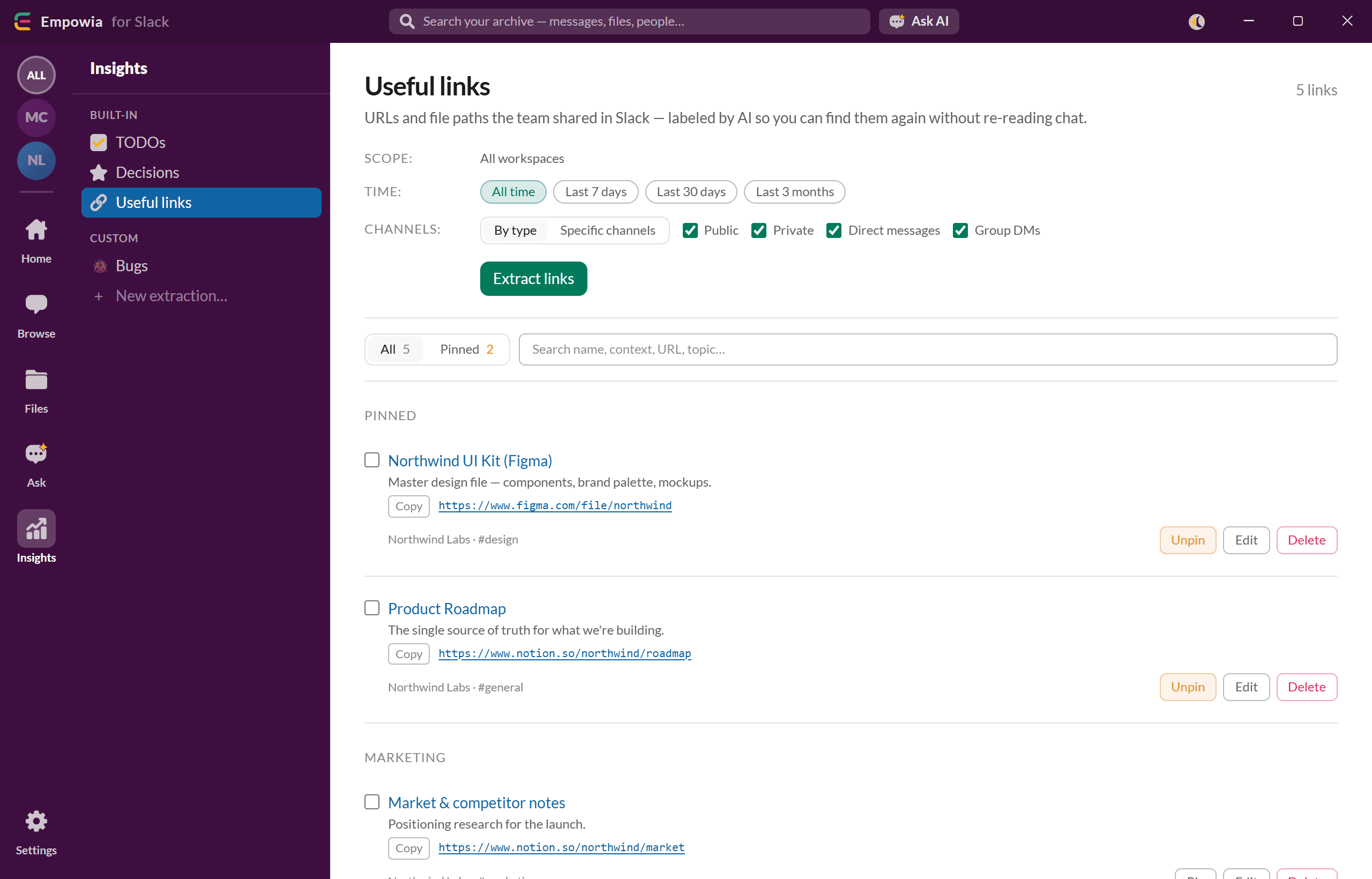
Links
Every useful link anyone shared, collected in one place.
Your rules, your key, your tools.
Custom extraction
Tell the AI exactly what to pull out — in your own words. Feature requests, bugs, anything you want tracked.
Scheduled & automated
Run analysis on a schedule and let it keep itself up to date.
Even free, with Gemini
Google Gemini’s free tier means the AI can cost you nothing — or plug in Claude or OpenAI and see the price of every answer.
Use the tools you know (MCP)
Open your archive to the AI apps you already use — Claude Desktop, Cursor, Codex, ChatGPT, and more.
Three steps. No setup headaches.
- 1
Connect
Empowia detects the Slack you’re already logged into and asks permission to use it. No “create an app,” no tokens to copy-paste.
- 2
Back up
Pick your workspaces. Empowia does an incremental backup and keeps it current on a schedule — or hit “Back up now” whenever you like.
- 3
Search & ask
Browse the whole history, open the file gallery, search instantly, and ask AI questions with citations back to the source message.
Your data never leaves your computer.
The backup, the files, and your sign-in all stay on your machine. No cloud, no accounts, no telemetry. In portable mode, everything lives in a folder next to the app — move it to a USB stick, or delete it to fully uninstall.
Stays on your machine
No Empowia server sits in the middle. Your archive is yours, on your disk.
No accounts, no login
Download and run — nothing to sign up for. If you unlock unlimited, it’s a one-time code by email, not an account.
Yours to move or delete
Portable mode leaves no traces. Take your data with you, or remove it completely.
Start free. Unlock when you’re ready.
Download free
€0The full app — search, AI insights, files, everything. Backs up up to 20 conversations you choose.
Download freeOne-time unlock
€19,90Lift the cap to unlimited conversations. A lifetime unlock code, delivered by email.
Unlock everything — €19,90No account and no card to start — use it free first.
Honest answers.
Can I upgrade just my own Slack instead?
No — Slack has no personal plan. Upgrading bills the whole workspace ($7.25 per active user per month, billed annually) and is usually the workspace owner’s call, so a regular member often can’t do it at all. Keeping your own local backup is the part that’s actually in your hands.
Is Empowia a disaster-recovery backup?
No. Empowia creates a searchable local archive of the Slack conversations and files your account can access — for personal retention, search, and AI analysis. It’s not organization-wide disaster recovery, legal hold, or restoring messages back into Slack.
Is there a free version?
Yes — and it’s the full app. Search, AI, files, exports — everything is included. The only limit is breadth: the free version backs up up to 20 conversations you choose (channels, private channels, DMs, and group DMs all count). Pay once to lift the cap to unlimited — there’s no subscription.
Should I install from the Microsoft Store or download it?
Either works — it’s the same app. The Microsoft Store version is the easy default: one click, automatic updates, and no security prompt. The portable .zip needs no installation and runs from any folder (even a USB stick), which helps on locked-down or offline PCs. You can switch later by exporting a backup.
Do I need an account to buy?
No. You download the free version, and if you want unlimited you buy a one-time unlock code that arrives by email. Paste it into the app and it’s verified offline — no account, no login. You can create a free account if you’d like a place to re-download your code and manage billing, but it’s optional.
Can I get a refund if it’s not for me?
Yes — just get in touch. Payments are handled securely by Stripe, and our support page and refund policy explain how it works. Because the unlock code is delivered instantly, we suggest trying the free version first so you know it fits before you pay.
Is my data safe?
Yes — it stays on your computer. Empowia has no cloud and no servers. Your backup, your files, and your Slack sign-in never leave your machine.
Do I need a Slack admin or an API token?
No. Empowia reuses the Slack session you’re already signed into. There’s no app to register and no tokens to copy-paste.
Does it work on free Slack?
That’s exactly what it’s for. Empowia keeps your history past the 90-day limit that free and capped plans impose — once it’s backed up, it’s yours to search forever.
What about private channels and DMs?
If you can see it in Slack, Empowia can back it up — public channels, private channels, DMs, and group DMs.
Which platforms can I use it on?
Windows 10 and 11, and macOS on Apple Silicon (M1 or later). There’s no Intel-Mac or Linux build yet — if you need one, tell us on the contact page and it helps us prioritize.
How much does the AI cost?
You bring your own AI key, so you pay your provider directly at their rates — and Empowia shows the estimated cost of every answer. Google Gemini has a free tier that covers personal use. No “free unlimited AI” gimmicks; we’d rather be upfront.
Windows warns me on first run — is that normal?
Yes, on the portable download. It isn’t code-signed yet, so Windows SmartScreen may show a warning — click “More info,” then “Run anyway.” The Microsoft Store version is signed and skips this. The download page shows it step by step.
Is the Mac app signed and notarized by Apple?
Yes. Since version 3.2.9, the Mac build is signed with an Apple Developer ID and notarized by Apple, so it opens like any other Mac app. The first time, macOS only asks the usual question for apps downloaded from the internet — “Empowia is an app downloaded from the Internet. Are you sure you want to open it?” — click Open. There are no security settings to change.
Never lose a Slack message again.
Back it up, search it, and let AI do the filing — all on your own computer. Free to start.