Did we say Thursday or Friday? Settle what you agreed in Slack, on the spot
Someone asks you to confirm a detail you definitely decided weeks ago — and you blank. Here's how to pin down exactly what your team agreed to, with the original message as proof, before you reply.
The Empowia Team

You know the freeze. Someone messages you a simple question — "just confirming, is the launch Thursday or Friday?" — and your mind goes blank. You decided this. You were in the conversation. You just can't reach the answer, and now you're one wrong reply away from telling everyone the wrong date.
This is a very specific kind of problem, and it isn't really a search problem or a file problem. You don't need a wall of messages or an attachment — you need one settled fact confirmed, fast, before you hit send. And you need to be sure enough to stake your name on it.
Ask the pointed question, get the fact plus the proof
Instead of unpicking weeks of history to reassemble the decision, you ask for exactly the one you're unsure of: "did we lock in Thursday or Friday for the review?" Empowia answers with the specific call that was made — and, crucially, with the message where it was made.
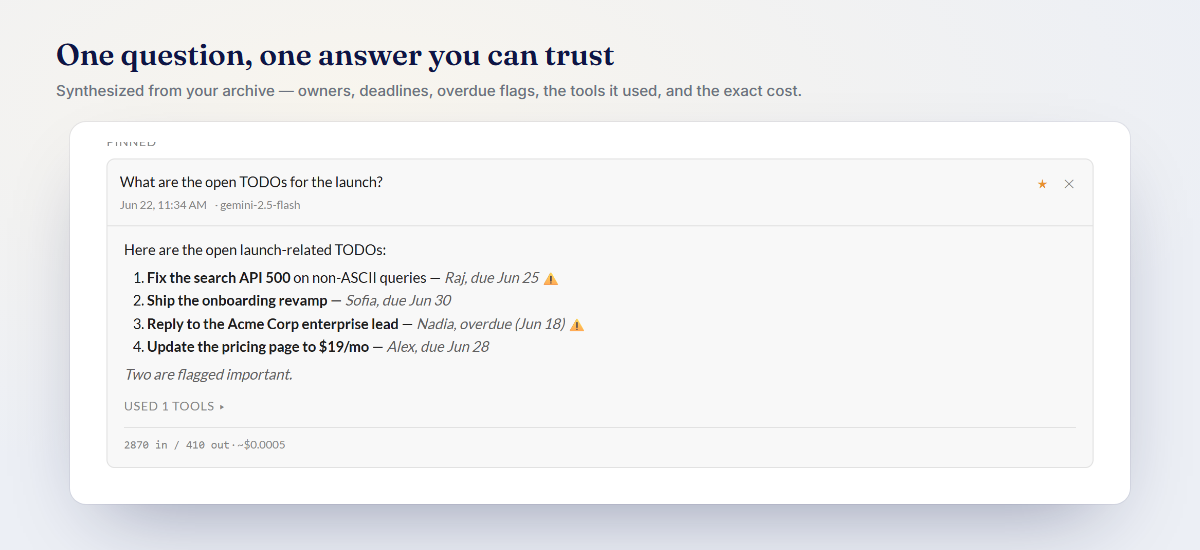
That link is the whole point. "I'm pretty sure it was Friday" becomes "it was Friday — here's where we said so." You go from a nervous guess to a fact you can stand behind, in the breath before you reply.
When you're not sure a decision was even made
Other times you don't have a yes-or-no question — you just need to see how a project's calls stacked up over time. That's the Decisions view: a topic-by-topic timeline of what your team actually settled, each entry carrying a link back to where it was agreed.
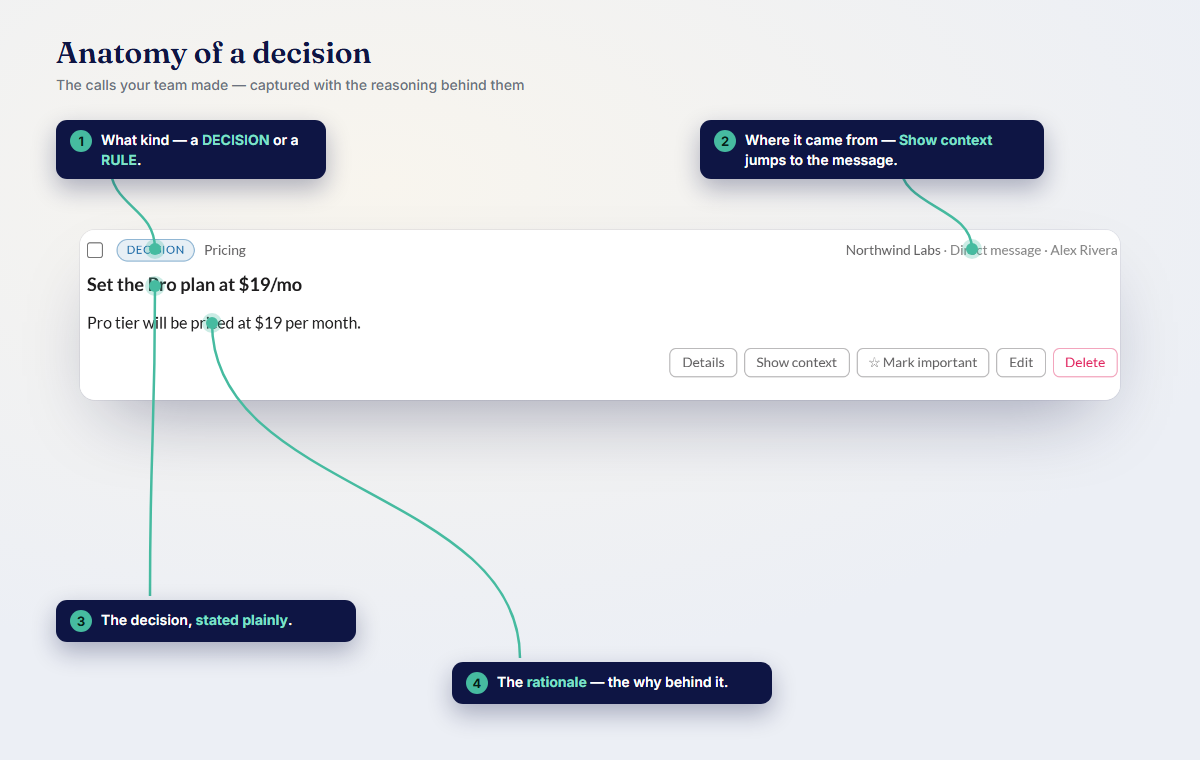
Come back to something after a month away and you skim the timeline instead of excavating the channel — caught up fast, with the receipts attached if anyone asks.
Reply with confidence, not a guess
The next time a "wait, what did we decide?" message freezes you, you don't have to bluff or go spelunking. You confirm the one fact you need, see the moment it was agreed, and answer like you never forgot.
Download Empowia free and settle the next detail someone asks you to confirm. Want the fuller picture of everything captured from your conversations? See capturing decisions and links.
FAQ
How do I confirm what my team decided without re-reading the whole thread?
Ask Empowia a pointed question — "did we agree Thursday or Friday for the review?" — and it returns the specific call your team settled on, with a link to the message where you agreed, so you can confirm it before you reply.
What is the Decisions view?
It's an auto-built, topic-by-topic timeline of the calls your team made across its conversations. Each entry links to the source message, so you can scan how a project got to where it is without reconstructing it from scratch.
Comments
Loading comments…