Slack Backup Without the Cloud
A local Slack backup keeps your messages and your login on your own computer, not a vendor's cloud. What stays put, what the AI actually sees under BYOK, and why local still isn't automatically safe — that's what this is about.
The maker behind Empowia
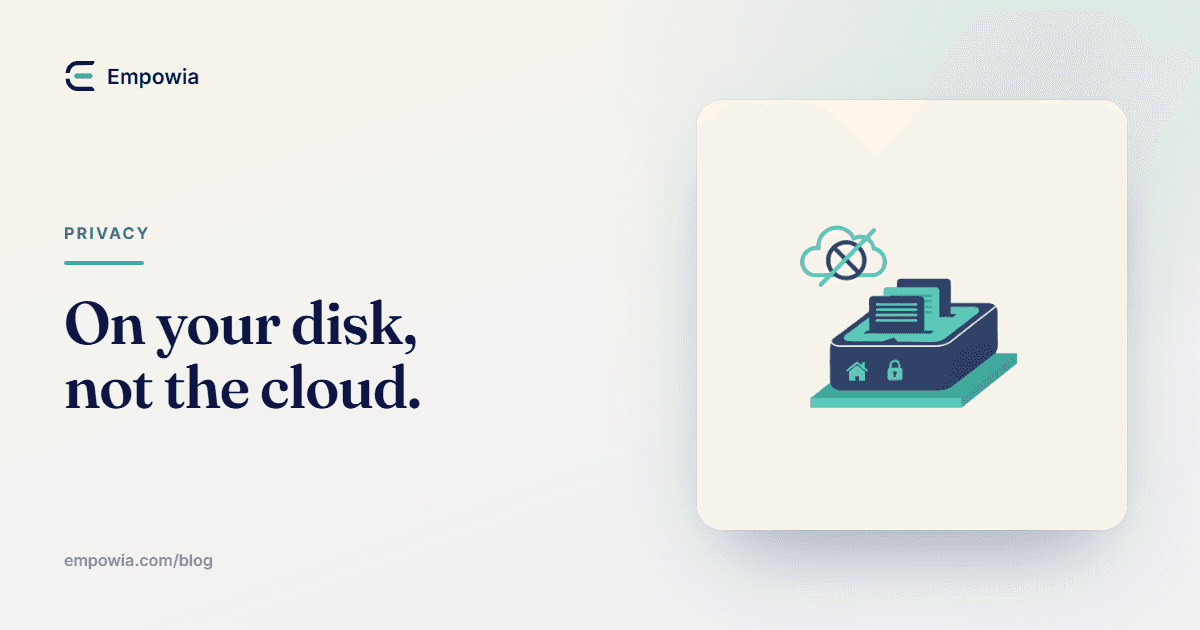
Quick answer
A local Slack backup keeps the archive on your own computer instead of a vendor's cloud, so your messages and your Slack sign-in stay on your machine. When you use AI, only the context needed to answer your question is sent to the provider whose API key you supply (BYOK — Gemini, Claude, or OpenAI), not your whole archive. Storing the copy locally removes a vendor's cloud copy, but the security of that copy still depends on your own device — disk encryption, who can log into your PC, and which AI provider you pick.
Key takeaways
- A local Slack backup stores the copy on your own computer. With Empowia for Slack there's no vendor server in the loop, and your Slack login stays on the machine.
- Backup data and AI request data are separate things. The full archive stays local; only the messages relevant to a question are sent to your chosen AI provider.
- BYOK means bring your own key — you supply a Gemini, Claude, or OpenAI API key, and AI requests go straight from your computer to that provider under your account, not through Empowia.
- Local isn't automatically safer. Removing a cloud copy helps, but a backup folder on an unencrypted, shared, or unlocked PC can be easier to reach than a well-run cloud service.
- Cloud backup still wins for org-wide disaster recovery, legal hold, and restoring messages back into Slack. Local personal backup and enterprise cloud backup solve different problems.
You install something called a "Slack backup tool," and a small fear shows up right behind it. Is this quietly copying my whole work history to a server somewhere? And grabbing my login on the way? Reasonable worry, worth a straight answer before you hand any tool years of messages.
So here's how mine works, no dressing it up. A local Slack backup keeps the archive on your own computer. With Empowia for Slack there's no server of mine in the loop, which means your messages don't get uploaded to me, because there's nowhere for them to go. Your Slack sign-in stays on the machine too.
That's the headline. The half most tool pages skip is quieter — local storage removes a vendor's cloud copy, but it doesn't make your data safe on its own. It hands the responsibility to you and your machine. Both are true, and you should hear them together.
what "local" actually means here
When I say local, I mean the copy of your Slack lives in a folder on your disk. Nowhere else. Empowia reuses the Slack session you're already signed into, then copies the channels, private channels, DMs, group DMs, and files your account can see, and writes them to your computer. No admin rights, no tokens to generate, no account to create with me.
The test is simple. Pull your network cable after the backup finishes, and everything you saved is still right there, searchable, offline. If a "backup" needs the internet to show you your own messages, it's keeping them somewhere that isn't your machine. That's the line I care about.
backup data and AI data are not the same thing
This is the distinction that clears up most of the fear, so I'll be blunt about it. There are two very different kinds of data here, and they travel differently.
Backup data is the whole archive — every message and file you copied down. That stays on your computer, full stop. It isn't sent anywhere. Search runs against it locally, on your disk, whether or not you're online.
AI request data is a different thing entirely. When you ask the AI a question about your archive, it doesn't ship the archive off to answer you. It finds the handful of messages relevant to your question and sends only that slice, along with your question, to the AI provider. The answer comes back with citations pointing to the source messages, so you can check it. The whole history never leaves in one lump.
Keep those two apart in your head and the privacy picture gets a lot clearer. Storing is local. Asking sends a small, relevant excerpt — and only when you choose to ask.
Put every kind of data this tool touches side by side, and it's easy to see what moves and what doesn't.
| Data | Where it lives | Leaves your machine? | Who can read it |
|---|---|---|---|
| Backup archive | Your disk, in a local folder | No | You, and anyone who can get into your computer |
| Search query | Runs locally against the archive | No | You — it never goes anywhere |
| AI question (BYOK) | Sent to the provider whose key you added | Only the messages needed to answer, plus your question | You, and that AI provider under their terms |
| Slack login session | Reused on your machine from the desktop app | No | You — it stays on the device |
so what is BYOK, and why it matters
BYOK stands for bring your own key. It's the piece that decides who your AI requests actually go to.
Instead of routing AI through some account I control, you paste in your own API key from one of three providers — Gemini, Claude, or OpenAI. From then on, when you ask a question, the request goes straight from your computer to that provider, billed to your account, under their terms. I'm not in the middle of it. I never see the key doing its work, and I never see the messages in the request.
And if you never add a key? Then the AI features just sit there, switched off, and nothing about your archive ever leaves your PC. Search still works, because search is fully local. AI is opt-in, one key at a time.
what actually gets sent to Gemini, Claude, or OpenAI
Let me be specific, because "some context" is too vague to trust.
When you ask something like "what did we decide about the launch date," Empowia searches your local archive, picks the messages that look relevant, and sends those messages plus your question to whichever provider's key you set. That provider reads the slice, writes an answer, and sends it back. Empowia shows you the answer with links to the exact messages it used.
So yes, real messages from your Slack — the ones relevant to that one question — do get sent to the provider you chose. That's the honest cost of getting an AI answer at all. It's a small, targeted excerpt rather than your entire history, but it isn't nothing. Which is exactly why the choice of provider is yours. If a question touches something you'd never want a third party to read, don't ask the AI that question. Search it locally instead, where nothing leaves the machine.
local isn't the same as safe
Here's where I argue against the easy version of my own pitch.
"Local, so it's private, so it's safe" skips a step. Removing a vendor's cloud copy genuinely removes a category of risk — a breach at a company you don't control, a subpoena served on them, a misconfigured storage bucket. Good. But the copy still exists, and now it lives on your machine, and your machine has its own weak spots.
A backup folder on a laptop with no disk encryption is a copy of your Slack that anyone who picks up the laptop can read. A shared family computer with one login is worse. A folder you accidentally point a general cloud-sync app at has quietly become a cloud copy again — just one you set up yourself. Local doesn't erase the risk. It hands it to you.
Whether that's a good trade depends on you. For a lot of people, "I control it and I know where it is" beats "it's on someone else's server under terms I didn't read." For others, honestly, it doesn't, and that's fine.
the boring stuff that actually protects the copy
None of this is exotic. It's the same hygiene that protects any sensitive file on your computer.
Turn on full-disk encryption — BitLocker on Windows does it. Use a real login password, and lock the screen when you walk away. Keep the backup folder off shared drives, and don't let a general-purpose sync app scoop it up unless you truly mean to. If you turn on AI, pick a provider you're actually comfortable sending work messages to, and skim how they treat API data. That's most of it.
Treat the archive like what it is — a copy of years of your conversations. You'd lock a filing cabinet that held the paper version. Same idea, fewer drawers.
when the cloud is the right call
I build a local tool, and I'll still tell you when local's the wrong choice.
If you're responsible for a whole organization's Slack, you probably want a cloud backup service, not a personal one. Org-wide disaster recovery, retention and legal hold for compliance, keeping the records of people who've left, and restoring messages back into Slack after an accident — that's what enterprise cloud backup is built for, and a local tool on one person's laptop can't do it. I wrote a longer, named comparison of those options in the roundup of Slack backup methods if that's your situation.
Empowia is for the other case. One person, one computer, wanting their own reachable history in a form they control. It's also Windows 10 and 11 only right now — a Mac version is coming, but I won't pretend it's here yet. And like every backup tool, it can only copy what your account can still open. A message Slack has already permanently deleted is gone before any tool can reach it.
back it up the quiet way
If the reason you're reading this is that a "backup" you almost installed felt a little too eager to phone home, that instinct was worth listening to. So do it the quiet way instead. Empowia for Slack copies your history to your computer, keeps search on your disk, and only ever sends the AI a slice you asked about. Grab the free tier, back up the one conversation you'd least want a stranger reading over your shoulder, then open it with your Wi-Fi off. If every message is still right there, you know exactly where it lives — and where it doesn't.
FAQ
Does Empowia upload my Slack messages?
No. Empowia for Slack copies the channels, DMs, and files your account can see straight to your own computer. There's no Empowia server in the path, so your messages aren't uploaded anywhere, and your Slack sign-in stays on the machine. The only time anything leaves your PC is if you turn on AI, and then only the specific messages needed to answer your question go to the AI provider whose key you added — not the whole archive.
Does the AI receive my entire archive?
No. When you ask a question, Empowia finds the messages relevant to it and sends just that slice, plus your question, to the AI provider whose key you supplied. The answer comes back with citations to the source messages. Your full archive never gets shipped off in one go. That said, the provider does see the real messages in that slice, so pick a provider you trust and read how they handle API data.
What does BYOK mean?
BYOK stands for bring your own key. Instead of routing AI through Empowia's account, you paste in your own API key from Gemini, Claude, or OpenAI. AI requests then go directly from your computer to that provider, billed to you, under their terms. Empowia never sits in the middle of those requests. If you never add a key, the AI features stay off and nothing about your archive leaves your PC.
Is local storage safer than cloud?
Not automatically. Keeping the copy on your own computer removes a vendor's cloud copy and the risks that come with it. But a backup folder is only as safe as the machine holding it. An unencrypted laptop, a shared family PC, or a folder synced to some other cloud can be easier to reach than a well-secured enterprise service. Local shifts the responsibility to you — it doesn't erase it.
How should I protect a Slack archive on my PC?
Turn on full-disk encryption (BitLocker on Windows), use a real login password, and don't leave the machine unlocked. Keep the backup folder off shared drives and out of general-purpose cloud sync unless you mean to put it there. If you use AI, choose a provider you're comfortable sending work messages to. Treat the archive like any sensitive document, because that's exactly what a copy of your Slack history is.
Comments
Loading comments…