Remember What You Agreed to in Slack (Without Re-Reading the Thread)
Half-remember a decision from weeks ago? Instead of scrolling for an hour, learn how to remember Slack decisions by asking your own backed-up archive and getting cited answers.
The Empowia Team
You know the feeling. Someone asks a simple question — "wait, did we say Thursday or Friday?" — and you freeze. You did decide this. You remember the conversation happening. You just can't remember the answer. Was it option A or option B? Did you commit to sending the file by end of week, or was that the other project?
So you go digging. You open Slack, find the channel, and start scrolling up through weeks of messages, past the tangents and the memes and the "sounds good!" replies that don't tell you which thing sounded good. Twenty minutes later you've pieced it together, mostly. You think it was Friday. Probably.
There's a faster way to do this, and it doesn't involve re-reading anything.
Why re-reading threads is the slow way
Slack is great for talking things through. It's terrible for looking things up later. A real decision almost never lives in one tidy message — it's spread across a back-and-forth, buried under context, sometimes settled in a reply three messages after the question that started it. To reconstruct what you agreed to, you have to reload all that context into your own head, in order, until the answer clicks.
That's fine once. But you do it again next week for a different half-remembered detail, and again the week after. Search helps a little, except Slack search rewards you for remembering the exact keyword someone used — which is the one thing you've forgotten. You end up skimming results and rebuilding the timeline by hand anyway.
The problem isn't that the answer is gone. It's right there in your history. The problem is that finding it costs you the same effort as living through the conversation the first time.
Just ask your Slack
Empowia for Slack flips this around. Instead of you re-reading the thread, you ask a question and let your own archive answer it. Here's the whole loop:
- Back up your Slack. Empowia is a desktop app that backs up your workspace by reusing your already-signed-in session — no admin approval, no tokens, no manual export. It only sees what you can already see.
- Open Ask. This is the feature that lets you question your entire archive in your own words.
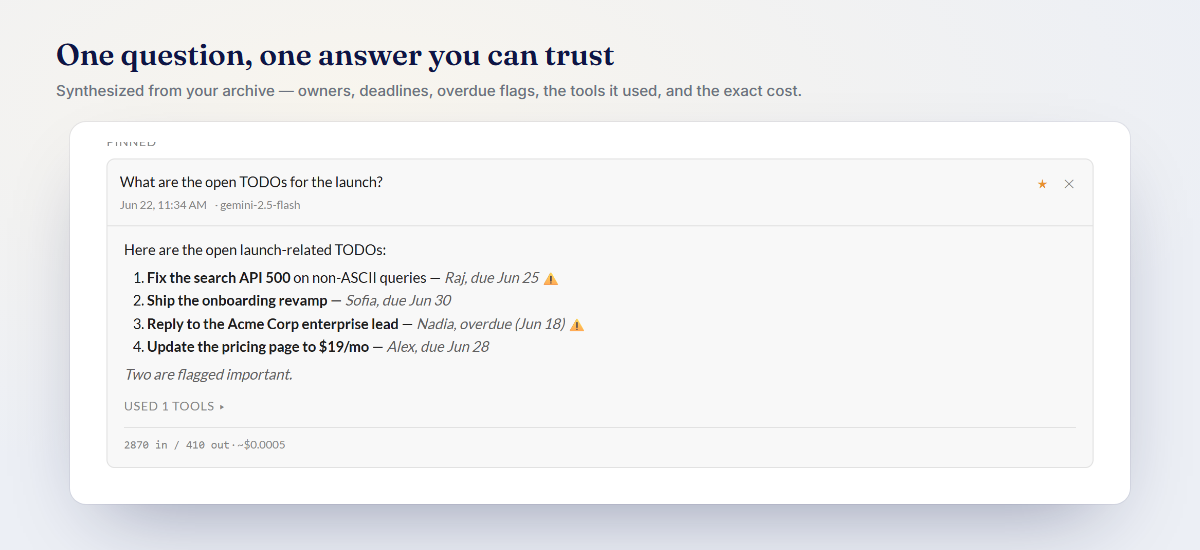
- Ask like a human. Type it the way you'd say it out loud: "Did we agree on Thursday or Friday for the review?" or "What did we decide about the pricing page?" If you want to narrow it, scope your question to a specific #channel or @person.
- Read the answer — then verify it. Ask gives you a plain-language answer, and every answer includes inline citations. Click a citation and you land on the exact source message it came from.
No scrolling. No keyword guessing. You go from "I think it was Friday" to "it was Friday — here's the message where we said so" in a few seconds.

This is exactly the kind of thing Ask was built for: you bring the fuzzy memory, and your archive supplies the specifics.
The Decisions timeline is your project memory
Asking is perfect when you have a specific question. But sometimes you don't know the question yet — you just want to see how a project got to where it is. That's what the Decisions view is for.
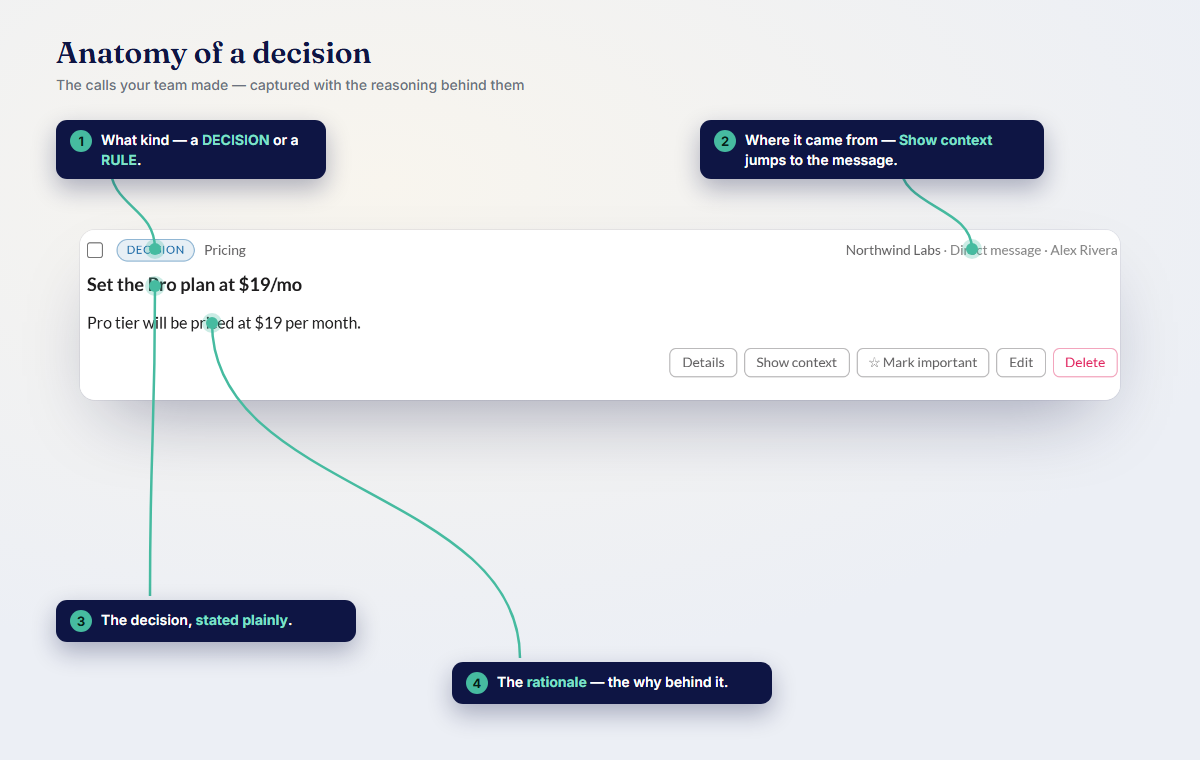
Empowia auto-builds a topic-by-topic timeline of the calls that got made across your conversations. Instead of a wall of chat, you get a scannable list: this is what we settled on for the deadline, this is what we picked for the design, this is what changed two weeks later. Each entry links back to the source message, so you can jump from the summary to the original discussion whenever you want the full context.

Think of it as the memory your project should have kept for you all along. When you come back to something after a month away, you skim the Decisions timeline and you're caught up — no archaeology required. If capturing the important calls (and the links that went with them) is what you're after, the Decisions and links write-up goes deeper.
Why cited answers matter
Here's the part that makes this trustworthy: every answer points back to a real message you can open and read yourself.
That matters because a summary you can't verify is just another thing to second-guess. When you're about to reply "yes, we locked in Friday" to someone, you don't want to be pretty sure — you want to click the citation, see the actual message, and know. The citation turns "the app said so" into "I checked, and here it is." You stay in control of what's true; the app just gets you to the evidence faster.
Everything stays on your computer
Because you're asking questions about your own conversations, privacy isn't an afterthought here. Empowia is 100% local — no cloud, no account, no telemetry. Your backup lives on your machine and nowhere else.
Ask works by connecting to an AI model using your own key (bring your own from Gemini, Claude, or OpenAI). Your messages go straight from your computer to the model you chose, not through us — and if you use Gemini's free tier, this can cost you nothing. If you want the fuller picture of keeping your history on your own terms, your personal Slack archive walks through it.
Try it on the next thing you forget
The next time you catch yourself scrolling up through weeks of messages to reconstruct one small decision, stop — and ask your archive instead.
You can download it free and back up your first conversations right away. The free version is the full app, capped at 20 conversations, which is plenty to feel the difference. When you're ready to go unlimited, it's a one-time $19.90 (regularly $24.90), and your offline unlock code arrives by email. Empowia runs on Windows today, with more platforms on the way — grab it now and you'll be able to answer "wait, what did we decide?" in seconds instead of minutes.
FAQ
How can I remember what we decided in Slack weeks or months later?
Back up your Slack with Empowia, then open Ask and type your question in your own words, like "did we agree on Thursday or Friday for the launch?" You get a plain-language answer with inline citations that link straight back to the exact source message, so you can verify it in one click instead of scrolling through the whole thread.
Do I need admin access or a Slack export to search old conversations?
No. Empowia backs up Slack by reusing your own signed-in session, so there are no admin permissions, tokens, or manual exports involved. It only sees what you can already see, and everything stays on your computer.
What is the Decisions view?
Decisions is an auto-built, topic-by-topic timeline of the calls that got made across your conversations. Each entry links back to the source message, so you can scan a project's history later without reconstructing it from scratch.
Comments
Loading comments…