How to back up a free Slack workspace before messages disappear
Slack's free plan hides messages after 90 days. Here's how to keep your full history — including private channels and DMs — on your own computer.
The Empowia Team

On Slack's free plan, anything older than 90 days stops showing up. The messages aren't deleted on day 91 — they're just hidden from you unless you upgrade. But it doesn't stop there: content older than a year can eventually be deleted for good. For a lot of teams that means decisions, links, and files quietly slip out of reach every quarter.
The hard way (built for developers)
The classic answer is Slack's own export or a third-party backup tool. Both typically require you to:
- Register a Slack app in your workspace.
- Generate API tokens and configure scopes.
- Run an export job — and on the free plan, exports don't even include private channels or DMs.
Most non-technical teams can't or won't do this. And since Slack tightened its API rate limits in 2025, the old "distribute an OAuth app" approach stopped being practical for consumer tools.
The simple way
Empowia for Slack reuses the Slack session you're already signed into — with your permission — and backs up at the same pace Slack Desktop itself uses. There's no app to register and no tokens to copy-paste.
- One click to connect.
- Public channels, private channels, DMs, and group DMs.
- Everything stored on your own computer — no cloud, no accounts.
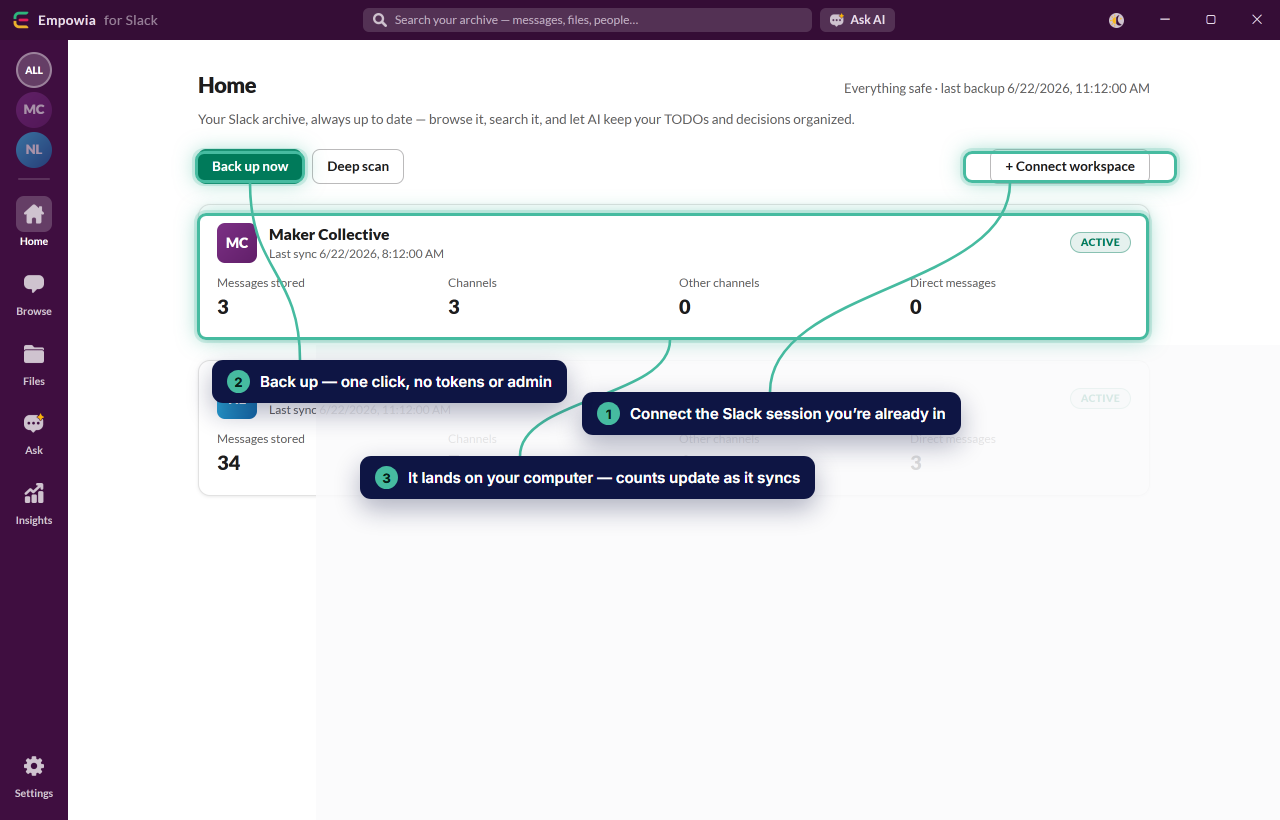
Once it's backed up, you can search the whole archive instantly, open every file from one gallery, and ask AI questions with citations back to the source message.
FAQ
Does a free Slack export include private channels and DMs?
Slack's built-in free export is limited to public channel history. Empowia backs up whatever you can see in Slack — including private channels, DMs, and group DMs — by reusing your own signed-in session.
Where is my backup stored?
On your own computer. Empowia has no cloud and no servers; your archive, files, and Slack sign-in never leave your machine.
Comments
Loading comments…