Ask your Slack a question in plain language — and get an answer with receipts
Slack search finds messages that contain a word. Asking finds the answer. Here's how to pose a real question to your whole Slack history and get back a written answer, with every claim linked to the message it came from.
The Empowia Team
There are two completely different things people mean by "look it up in Slack." One is search: you type a word, Slack hands you every message that contains it, and you do the reading. The other is the thing you actually wanted — a straight answer to a question you have in your head, like "what did we land on for the refund window, and who pushed back?"
Search can't do the second one, because the answer was never phrased in the words you'd search for. It's spread across a back-and-forth, half of it implied. To get it out of search results you have to become a detective. Asking skips the detective work.
Pose the question, don't hunt for the words
Empowia's Ask turns your backed-up Slack into something you can genuinely talk to. You type a question the way you'd say it to a colleague, and instead of a wall of matches you get a written answer that reads across the whole conversation and pulls the threads together for you.
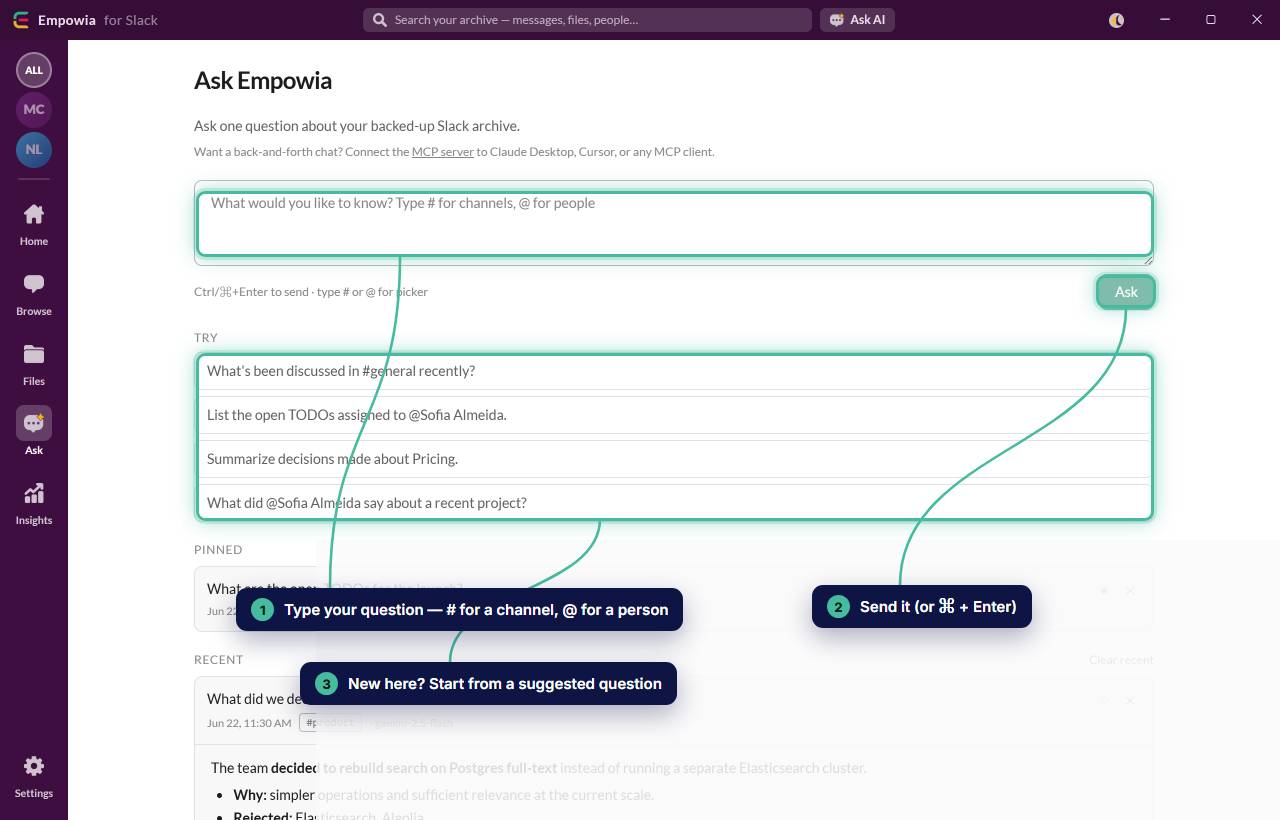
Ask it the way it lives in your head — "summarize what customers said about the mobile app last quarter," or "why did we move off the old billing provider?" — and the reasoning comes back written out, not left for you to reconstruct.
Every claim comes with a receipt
Here's the part that makes an AI answer worth trusting instead of worth double-checking: every statement links back to the exact message it rests on.
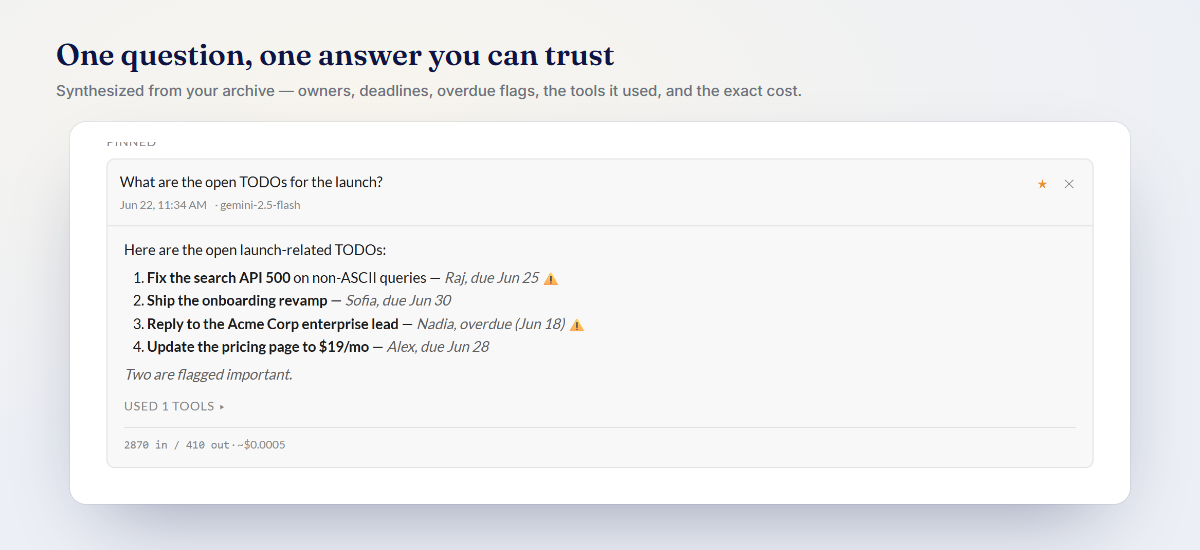
A confident-sounding summary you can't verify is just a rumor with good formatting. Citations fix that. You skim the answer, then click any claim to land on the original message — in full context, with the tone and the caveats the summary flattened out. That's the difference between an answer you can forward to your boss and one you have to go re-check first.
Your key, your cost, your data
Ask is bring-your-own-key: you connect your own Google Gemini, Anthropic, or OpenAI account, and you stay in control on every axis.
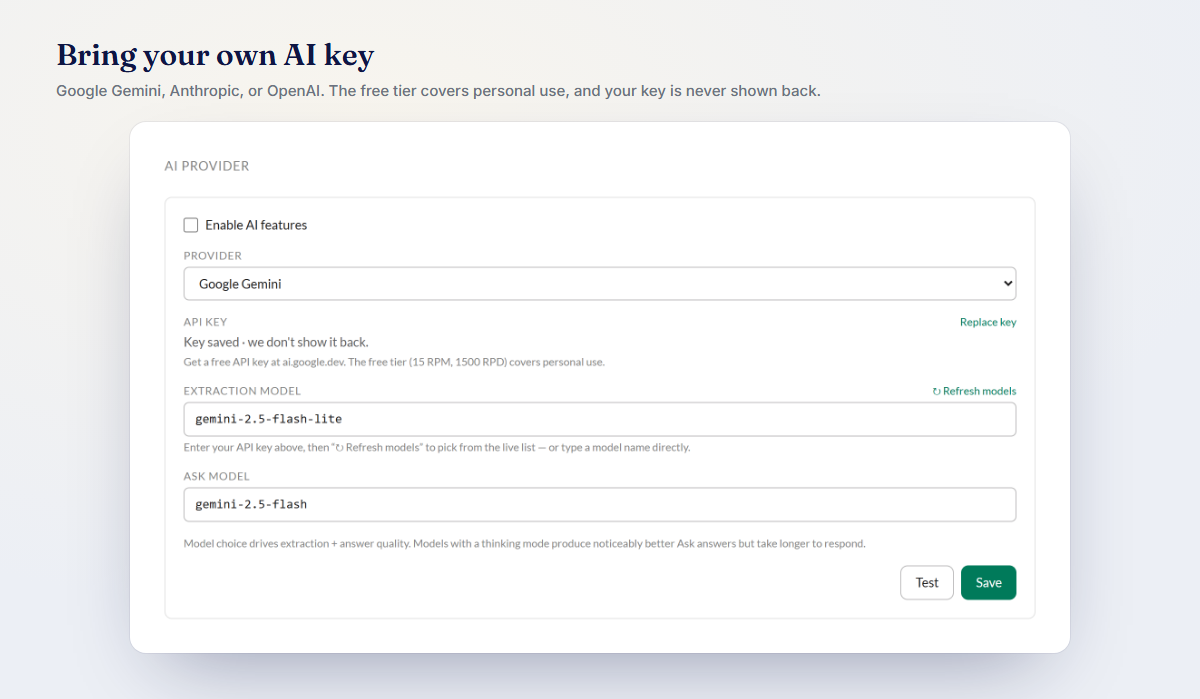
Your prompt and the relevant passages go straight from your machine to the provider you picked — no Empowia server in the middle, ever. You see the price of each answer up front, and on Gemini's free tier the great majority of questions cost nothing. The archive itself never leaves your computer.
Give your Slack a mouth, not just a search box
Your team's Slack is the richest record you have of how decisions really got made — but a search box only understands the exact words, and you've usually forgotten those. Ask lets you put the question the way you actually remember it, and get back a real answer with a trail to the truth.
Download Empowia free and ask your archive its first question. Once you're set up, you can also reach your Slack from inside Claude and Cursor over MCP.
FAQ
How is asking different from Slack's search box?
Search returns messages that contain your keywords and leaves the reading to you. Asking lets you pose the question in your own words — "what did we land on for pricing, and why?" — and an AI reads across your whole archive to write the answer, with inline citations you can click to verify.
Does asking send my Slack to someone's servers?
No. Your archive stays on your computer. When you ask, only your question and the passages needed to answer it go to the AI provider you chose, using your own key. There is no Empowia server in between and nothing is stored in a cloud.
What does an answer cost?
You bring your own AI key and see the price of each answer before it runs. Google Gemini has a free tier, so a great many questions cost nothing at all.
Comments
Loading comments…